
Unified Issue Inbox
The Unified Issue Inbox capability expands Bigeye’s issue management workflow to support multiple types of monitors and issues, giving data teams a single place to observe, triage, and resolve all data-health signals—from data anomalies to dbt test failures to connection issues—Bigeye can bring your team’s concerns into a single pane of glass.
Overview
Unified Issue Inbox enables the following workflows in Bigeye:
- New monitor types can be created within the Bigeye platform to enable the monitoring of different entities
- e.g., dbt test monitors are available to set up today but future monitor types could include business-user data issue submissions, connection failures, rule monitors, delta monitors, etc. Please reach out to your Bigeye representative to inquire about new monitor types.
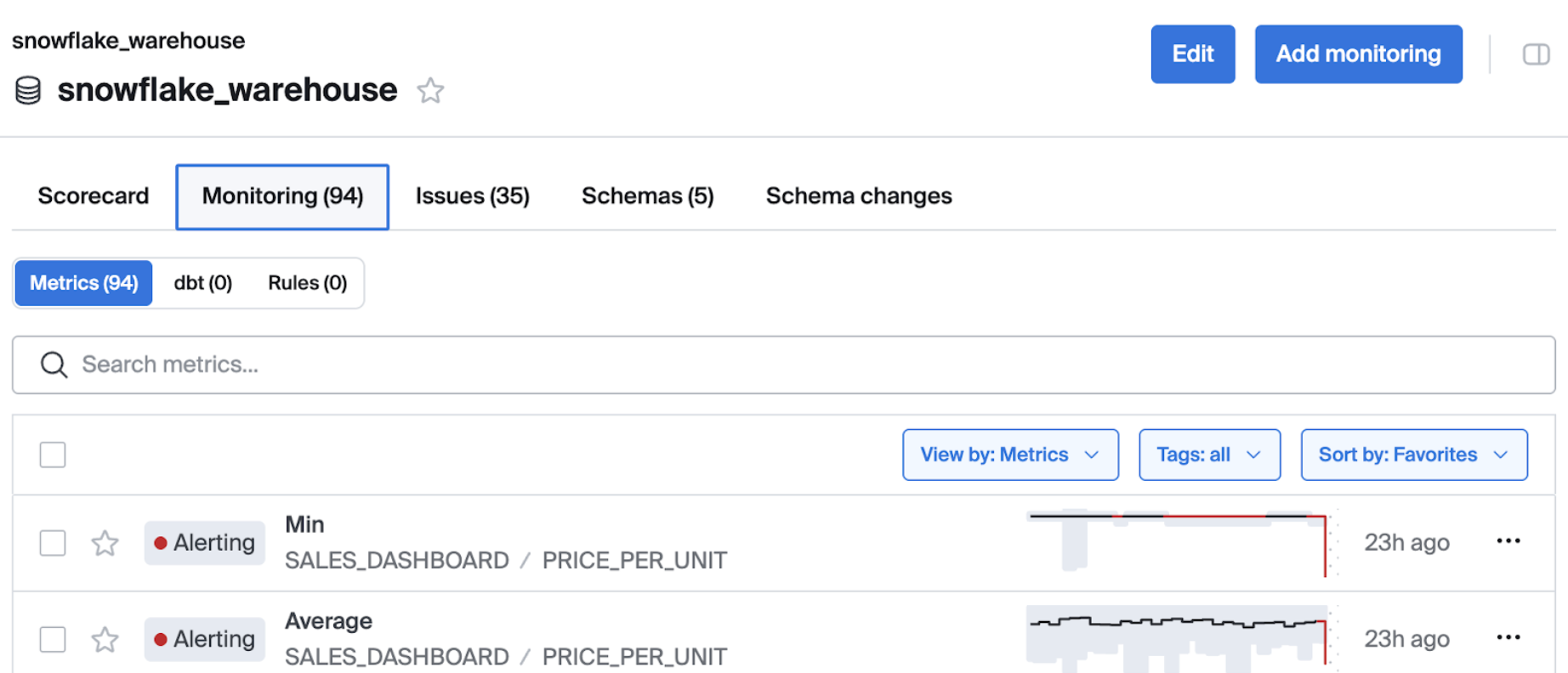
- A single inbox containing the issues generated from all monitors
- A standardized issue model is used across all monitor types
- Unified filtering, UI patterns, and status types
- Scorecard and dashboard support for all monitors
- Updated interface elements such as monitor list, monitor detail, issue list, issue detail
- Ability to manage external ticket creation per each monitor type
Key definitions
Monitor - A monitor observes an entity, evaluates its state, and produces results about that entity. Monitors generate issues when conditions are met. The term may refer to a specific configured monitor or to monitors in general. Metrics are a type of monitor.
Monitor Type - A monitor type defines the category of observation a monitor performs (e.g., metric, rule, dbt test). This term is used to distinguish between different kinds of monitors.
Monitor Platform
Bigeye supports a generalized platform for creating and managing multiple monitor types beyond just metrics. All monitors use a shared data model and can produce issues using a common template.
- Monitors create issues of the same type and issues are assembled together.
- All monitor instances must be tied to a catalog asset. Each monitor instance displays its catalog location prominently.
- Monitor instances support tags.
- In this iteration of Unified Issue Inbox, Monitor instances are created by integrations (such as dbt) are not editable within the Bigeye UI.
Scorecard Representation of Monitors
All monitor types designated “show in scorecard” will appear automatically in the scorecard. Inclusion in scorecards is controlled by Bigeye and may vary by monitor type. Some monitor types, such as metrics and dbt tests, are included by default, while others may be excluded. Configuration options may expand over time.
Key behaviors:
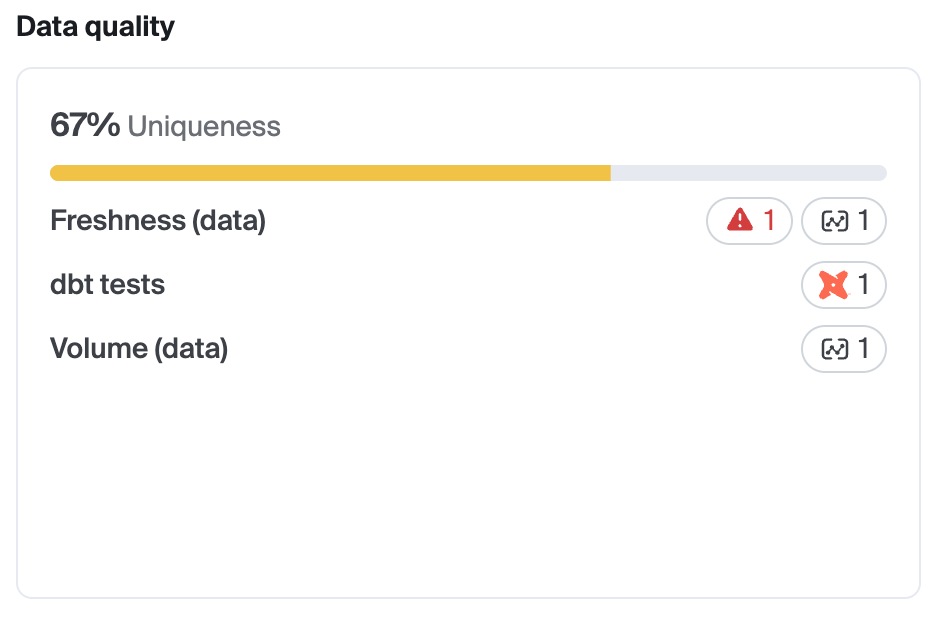
- Scorecards show both healthy and failing states of monitors. The green and red bars in the historical scorecard will represents the presence of issues across all monitor types which are scorecard enabled.
- dbt Test Monitor types appear as aggregated in the scorecard per each data dimension (“dbt Tests” shows as one row). Note in the screenshot below that metric monitors are denoted by the new metric symbol and dbt monitors are denoted by the dbt icon.
- Clicking counts of monitors behaves like metric monitors:
- Monitor instance count → opens monitor tab with correct sub-tab
- Issue count → opens issues tab for that asset
4. Notifications for Monitor Issues
Bigeye monitors generate issues when observed results fall outside expected bounds. When an issue is created, notifications are sent using the same notification channels and workflows supported for metric monitors. Notification content may vary by monitor type to include relevant context, but notifications remain issue-driven and do not guarantee detection or alerting for every possible condition.
dbt Test Failure Issue and Monitor Type
It's now possible to view the health of your dbt tests within Bigeye with the dbt Test monitor.
Behavior
- After the dbt integration is set up, Bigeye automatically creates a monitor instance for each dbt test.
- Users cannot manually create dbt test monitors within the Bigeye UI.
Issue Creation
When a dbt test fails:
- A single issue is opened and stays open until resolved or self-healed.
- No additional issues are opened for subsequent failures while the issue is open.
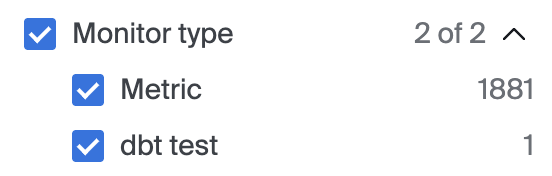
New filter component in issue list page
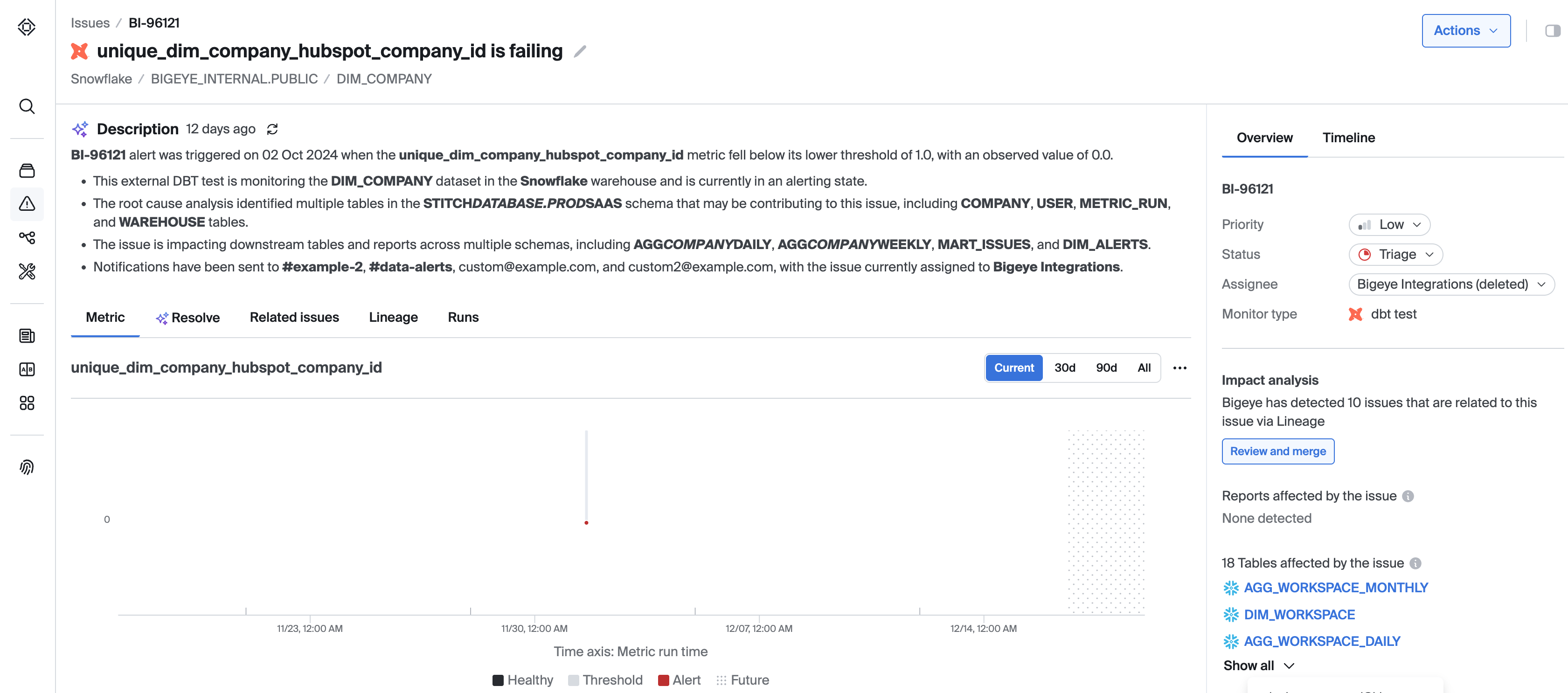
Issue detail page for dbt monitor type issues
Dashboard & Catalog Updates
Dashboard Support
All monitors are now included in dashboard aggregate cards:
Catalog Views
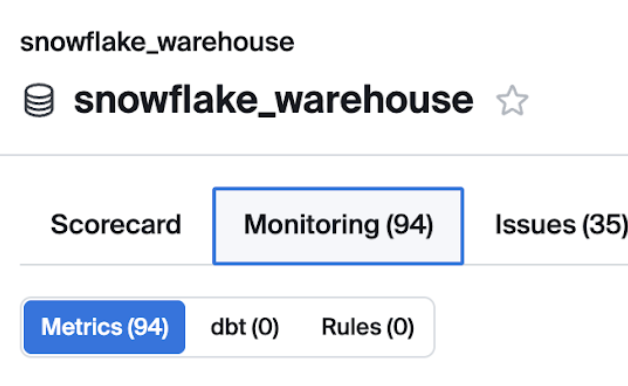
- Catalog pages now use Monitors instead of Metrics in the tabs for conciseness and ease of navigation
Integrations
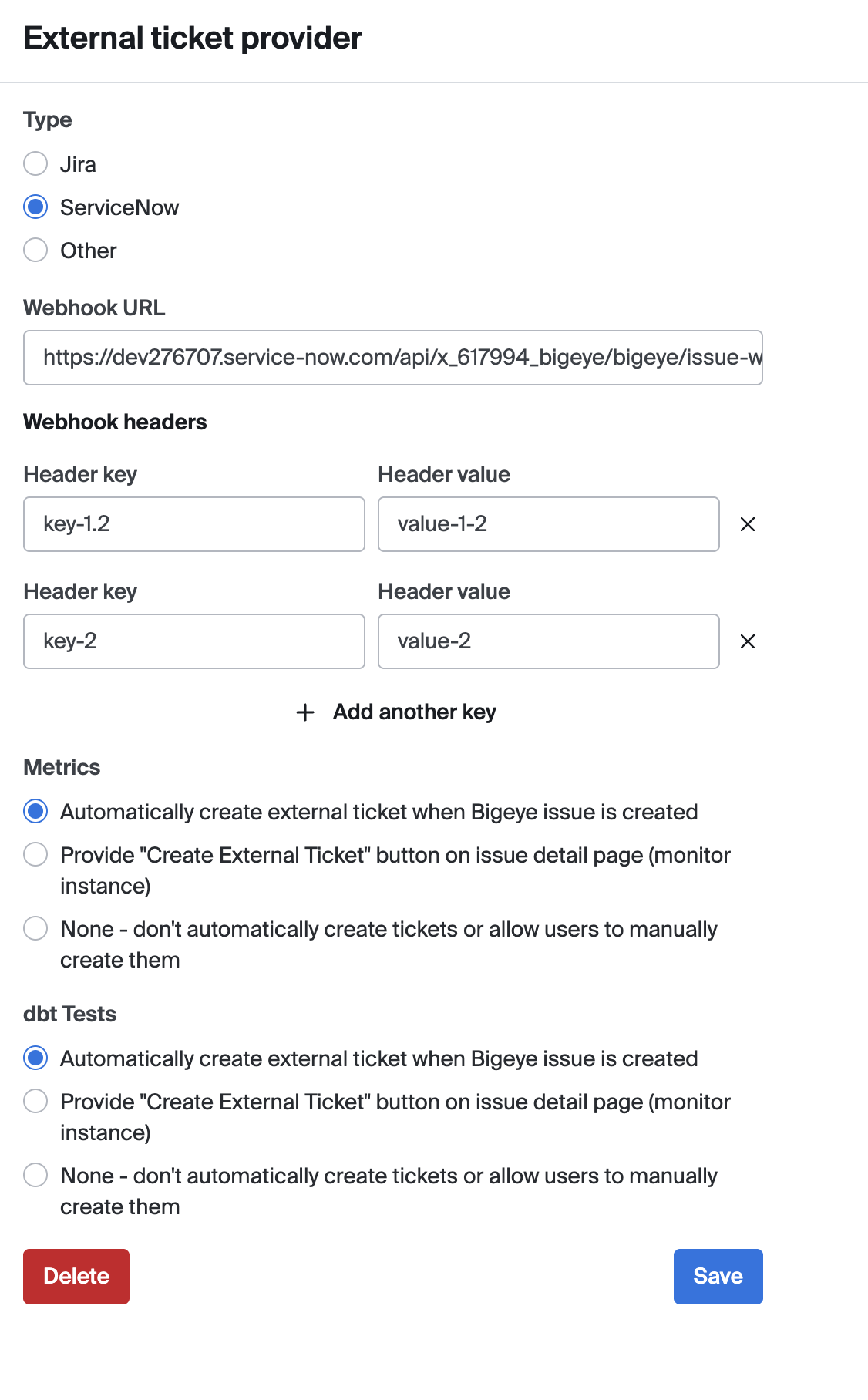
Jira & ServiceNow Ticket Behavior
Admins can configure for each monitor type:
- Automatically create external tickets
- Show a “Create External Ticket” button
- Neither (fully disabled)
These options are mutually exclusive.
Updated 2 days ago