
Secrets Manager Integration
The Agent CLI supports integrating with all major secrets management systems, allowing you to securely store sensitive credentials outside of the bigeye_agent.yml configuration file.
How It Works
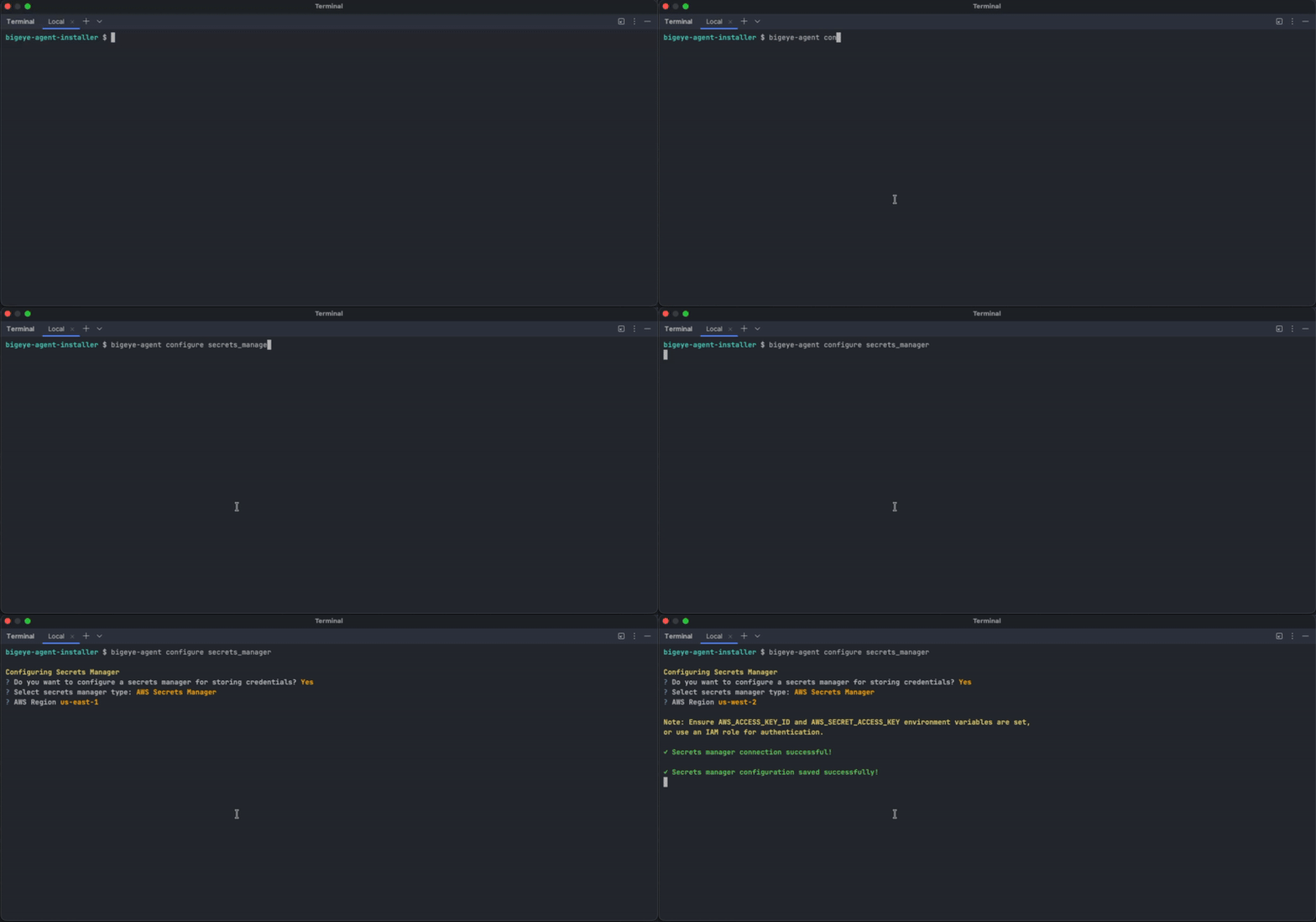
- Setup a secret manager integration during the initial
./bigeye-agent installcommand or after the fact by running./bigeye-agent configure secrets_manager. Ensure you have the correct environment variables and accounts setup for the respective secrets manager. - After configuring, the next time you add a connection via
./bigeye-agent add-connector, the Agent CLI will prompt you for the secret reference rather than the password. - For each secret reference, it:
- Connects to your configured secrets manager
- Fetches the secret value
- Encrypts the value using the Bigeye agent's encryption
- Writes the encrypted value to the appropriate configuration file
- The secret reference metadata is saved in
bigeye_agent.ymlfor future updates - The actual secret value is never stored in plain text in
bigeye_agent.yml - If you ever rotate your passwords in the secrets manager, then simply run
./bigeye-agent sync --refresh-credentialsand all secret references will be re-pulled from the secrets manager, and encrypted into the required config files for Bigeye's agents.
Supported Secrets Managers
AWS Secrets Manager
secrets_manager:
  type: aws_secrets_manager
region: us-east-1 # Optional, defaults to AWS_DEFAULT_REGION or us-east-1Authentication: Uses AWS credentials from:
- Environment variables:
AWS_ACCESS_KEY_ID,AWS_SECRET_ACCESS_KEY,AWS_SESSION_TOKEN - IAM role
- AWS CLI configuration (
~/.aws/credentials)
Azure Key Vault
secrets_manager:
  type: azure_key_vault
vault_url: https://my-keyvault.vault.azure.net/Authentication: Uses Azure credentials from:
- Environment variables:
AZURE_CLIENT_ID,AZURE_CLIENT_SECRET,AZURE_TENANT_ID - Managed Identity (for Azure VMs, App Services, etc.)
- Azure CLI authentication
GCP Secret Manager
secrets_manager:
  type: gcp_secret_manager
project_id: my-gcp-project # RequiredAuthentication: Uses GCP credentials from:
- Environment variable:
GOOGLE_APPLICATION_CREDENTIALS(path to service account JSON) - Application Default Credentials (for GCE, Cloud Run, Cloud Functions, etc.)
HashiCorp Vault
secrets_manager:
  type: hashicorp_vault
  vault_addr: https://vault.example.com:8200  # Required (or use VAULT_ADDR env var)
  namespace: my-namespace  # Optional, for Vault Enterprise
mount_point: secret # Optional, defaults to 'secret' for KV v2Authentication: Uses Vault credentials from:
- Environment variable:
VAULT_TOKEN - AppRole:
VAULT_ROLE_IDandVAULT_SECRET_IDenvironment variables
Updated about 2 hours ago