

bigAI Chat
bigAI Chat is a conversational assistant built into the Bigeye UI. Ask a question in plain language about your issues, lineage, metrics, tags, dimensions, or sensitive-data classifications, and get a direct answer with the supporting context in one place — instead of navigating across lineage graphs, monitors, and dashboards to assemble it yourself.
No query language is required, so it works for technical and non-technical users alike.
How to open bigAI Chat
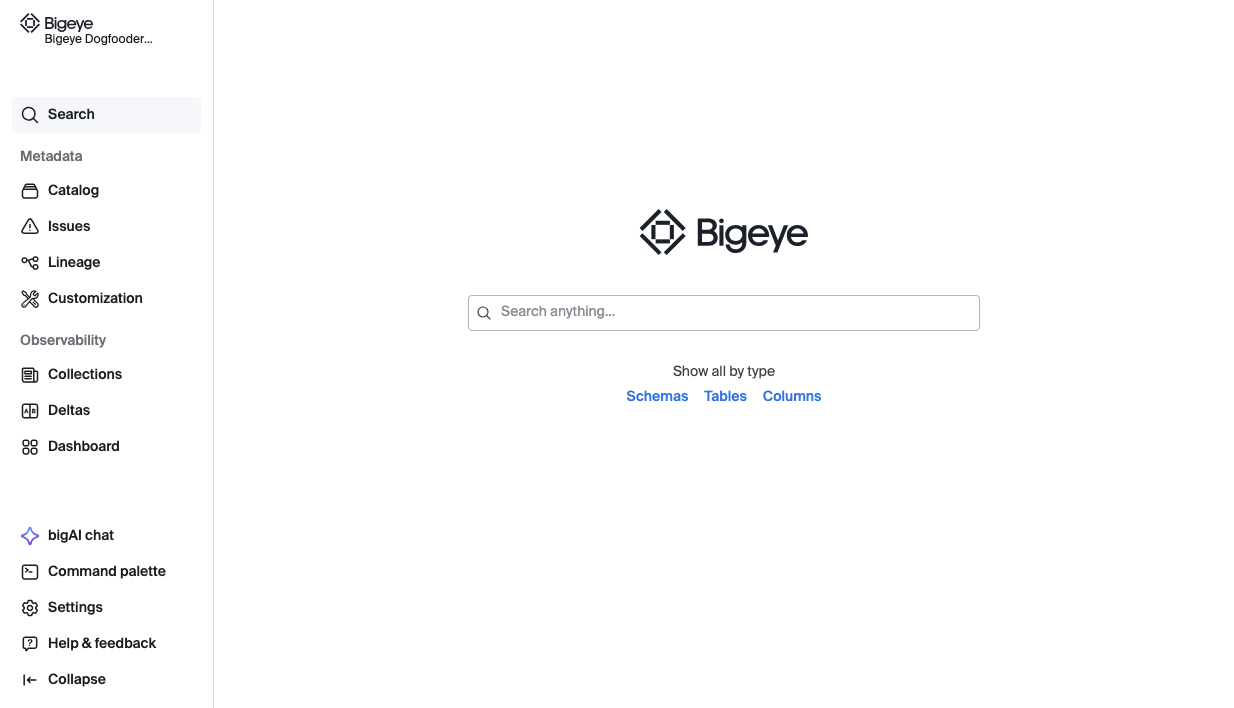
To activate bigAI chat, look in the navigator for the link labeled as bigAI Chat in the lower-left.
What you can ask
You can always ask "What tools do you have?" and bigAI will tell you what is available. Some examples:
Data quality monitoring
- Create metrics – Set up data quality checks on tables and columns (freshness, volume, nulls, duplicates, etc.)
- Create SQL rules – Write custom SQL queries to define data quality checks with upper/lower thresholds
- Schedule rules – Set them to run hourly, daily, weekly, or manually
- Run metrics – Execute metrics immediately to get fresh results
- Update metrics – Modify thresholds, schedules, or filters on existing checks
- Get metrics – View all metrics in your workspace with filtering options
Issue Management
- List issues – See all data quality issues, filter by status, priority, table, or metric
- Get issue details – Drill into a specific issue to see what's happening
- Update issues – Change status (new, acknowledged, closed, monitoring), priority, assignment, or add comments
- Trace related issues – Follow data lineage to see if other issues are connected upstream or downstream
Data catalog
- Search – Find data sources, schemas, tables, columns, collections, issues, AI agents, dbt projects
- List warehouses – See all connected data sources with connection details and health status
Agent Trust Hub
- Monitor which AI agents are accessing what data, token usage, and estimated costs
- Cost overview – "What's my total AI agent cost across the workspace?" or "Which agents are most expensive?"
- Per-agent usage – "How many conversations has Agent X had, and what's its token usage?"
- Per-user usage – "How much has this user spent on AI agents?" or "Which agents has this user talked to?"
- Per-conversation detail – "How much did this specific conversation cost, and what tables did it access?"
- Data access & sensitivity – "Did this agent access any sensitive tables or columns?"
Permissions and safety
bigAI Chat operates entirely within the access you already have. Every query is scoped to your existing permissions and workspace, so Chat cannot surface data you couldn't already see in Bigeye.
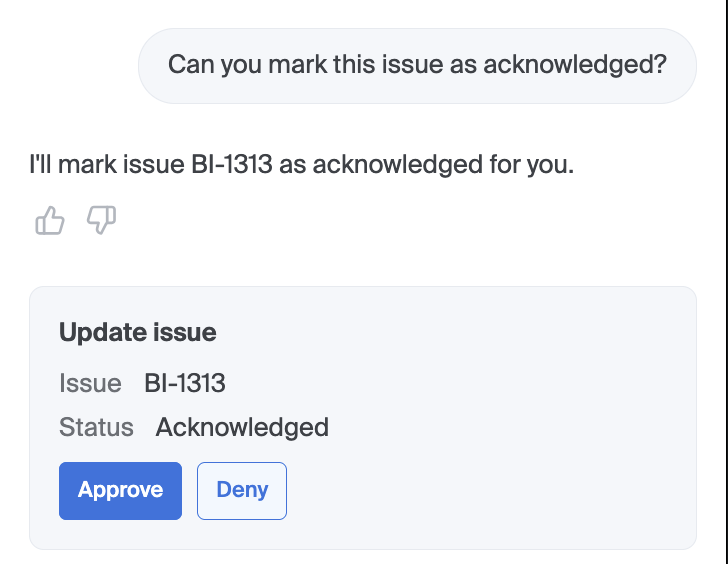
A human always approves changesbigAI Chat can propose an action, but nothing executes until you click Approve. It never modifies your environment on its own. When bigAI chat makes a change to data, it prompts you for approval first:
Frequently asked questions
Can bigAI Chat see data I'm not allowed to see?
No. Every query is scoped to your existing permissions and workspace.
Can it change anything on its own?
No. It can propose an action, but nothing executes until you click Approve.
Is customer data used to train the model?
No. Your data is not used to train the underlying model.
Can I turn it off?
Yes — via Settings › Advanced Settings › bigAI In-app Chat.
Updated 3 months ago