

Failed Monitor Notifications
Get notified when a monitor fails to run or encounters an error
Overview
Failed monitor notifications help you stay informed when a monitor does not run successfully due to errors or execution issues. These notifications are separate from alert condition notifications, which are triggered when data breaches a threshold.
What are failed monitor notifications
Failed monitor notifications are sent when a monitor:
- Fails to execute
- Encounters an error during evaluation
- Does not complete successfully
These notifications ensure visibility into monitoring gaps so issues can be addressed quickly.
How to configure
You can configure failed monitor notifications on the Advanced Settings page in the Alerts section.
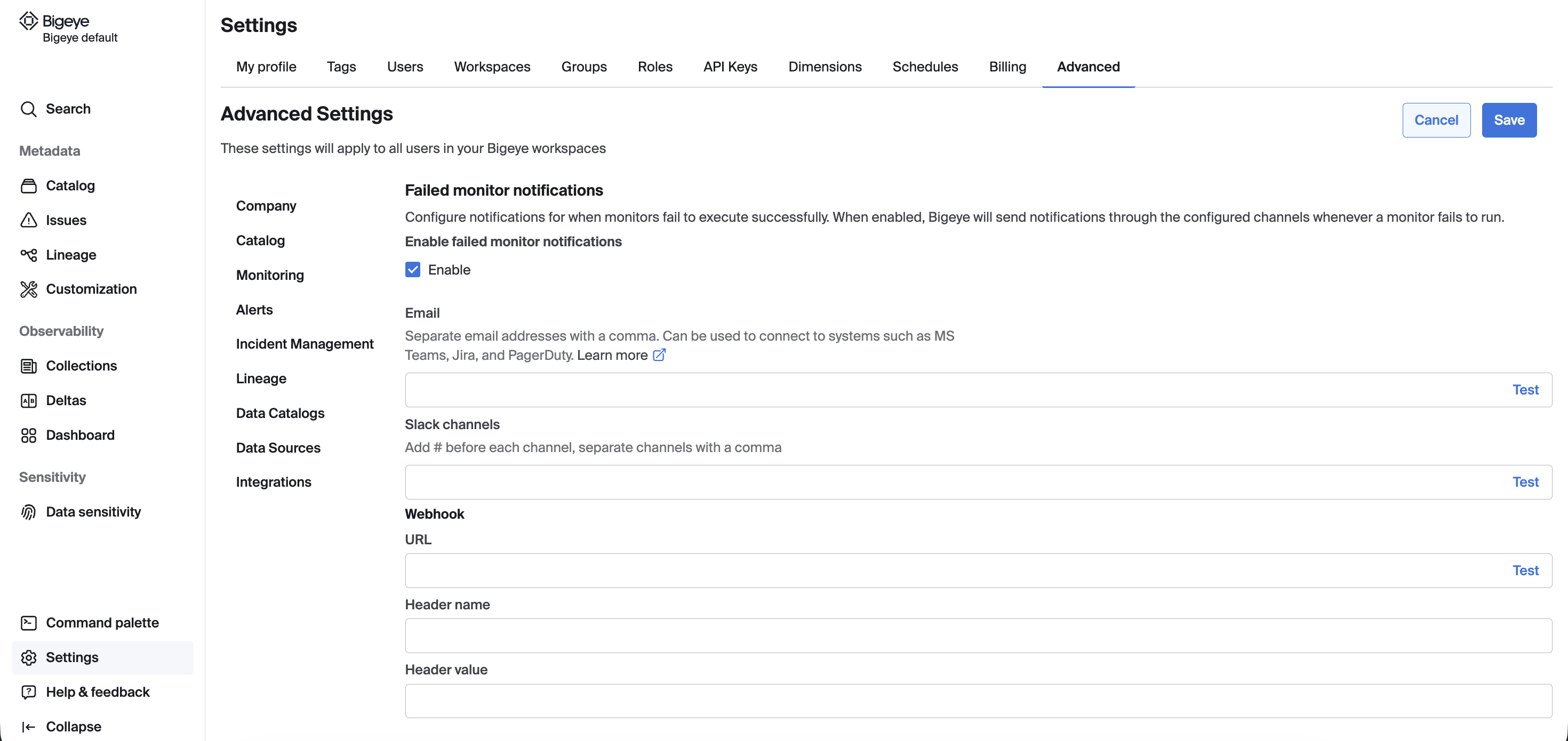
Supported delivery methods include:
- Slack channels
- Webhook
Each destination includes a Test option to validate the configuration.
Enable or disable failed monitor notifications without removing your configured email, Slack, or webhook settings.
Key behavior
- These notifications are independent of alert condition notifications
- They are triggered only when a monitor fails to run or errors
- If not configured, default workspace behavior may apply
Note: Deltas are currently not supported for Failed Monitor Notifications.
Updated 6 months ago